
Here are the Best AI Rewriters in 2026 (Ranked & Reviewed)
Written by
Sal Bajor
Expert AI proofreader and creator of multiple AI writing and editing tools used by thousands of professionals. Specializes in building systems that make writing clearer, faster, and mistake-free.
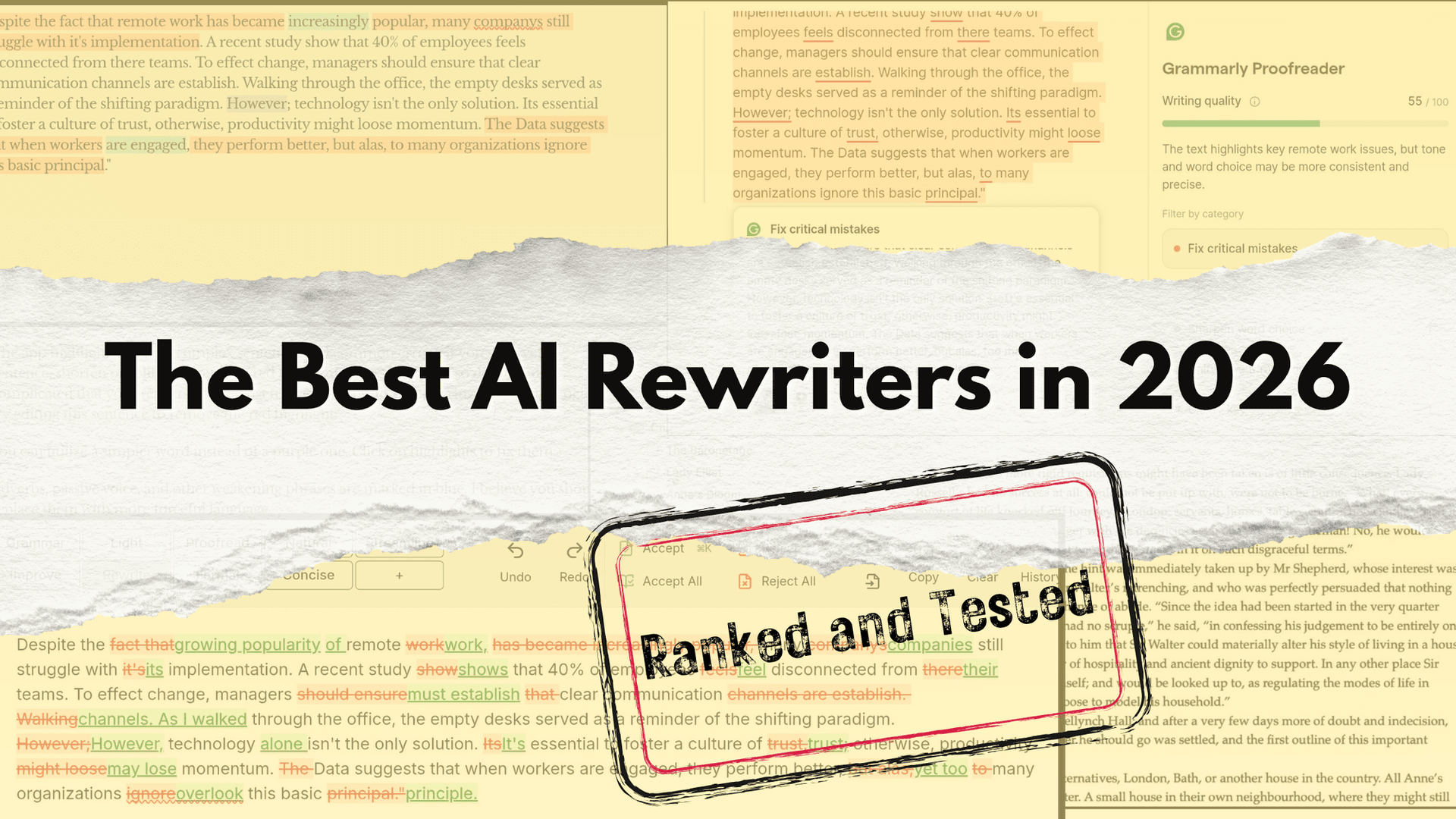
TL;DR: editGPT is the best AI rewriter in 2026 for writers who want polished text that still sounds like them, and you can try it with its free AI rewriter. After testing these tools for months, here’s how they rank:
- editGPT: Strongest AI rewriter for full drafts
- QuillBot: Best free paraphrasing tool
- Jasper: Best for marketing content
- Wordtune: Best for sentence-level editing
- Grammarly: Best for grammar-first rewriting
- Rytr: Best low-cost option
I’ve spent the last few months practically living in different tabs, fixing clunky paragraphs and making the same sentence say something different for the fifth time just to find a decent flow.
Some of these tools really saved my day, while others made the text sound so robotic that I had to delete everything and start over.
I put this guide together because I wanted a rewriting tool that can handle a whole paragraph without stripping away the human part of my writing.
While testing, I judged each tool on seven criteria. The ones that mattered most were how well it keeps your meaning and tone, how easy it is to use every day, and whether the price is fair for what you get.
If you’re a writer or marketer who’s tired of tools that swap words for synonyms and call it a day, this guide is for you. I’ve tested a lot of options, and one pick has become a permanent part of my morning workflow.
AI Rewriter Tools: Quick Comparison Table
What is an AI Rewriter?
An AI rewriter is a tool that takes your draft and rewrites the phrasing so it reads better, without changing your point. It uses a language model to fix clunky sentences, adjust tone and tighten long-winded explanations.
It’s not like the “spinners” from years ago that swapped words for random synonyms. A modern rewriting tool actually reads your work and understands what you meant to say, so it can fix the feel of a paragraph or shorten an explanation in seconds.
How do these tools actually do it?
They analyze the meaning of your sentence first, then generate a new version that says the same thing more clearly. That’s why they’re so useful when you’ve written a sentence three times and it still feels wrong.
I use them to turn a stiff, formal paragraph into something more conversational, or to catch repetitive words I didn’t notice I was using. It’s a fast way to get a second opinion on your phrasing.
Who uses AI rewriters?

Anyone who writes a lot uses them, from bloggers and marketers to students and SEO teams. The common thread is needing to polish text quickly without losing quality.
Bloggers and marketing teams use them to stay ahead of deadlines, while students and SEO specialists use them to polish drafts. I’ve even seen fiction writers use them to test whether a line of dialogue could sound punchier.
What I Looked For When Testing These Tools
I judged every tool on seven things, with rewriting quality and meaning preservation weighted most. Here’s what I checked.
- Rewriting quality: I looked for an AI rewriter that sounds like a real person. If it spits out robotic sentences I have to overhaul anyway, it isn’t worth the time.
- Meaning preservation: The tool has to keep your original point, voice and tone. I have no use for a tool that twists my facts or loses the plot of the paragraph.
- Tone control: A good rewriter should stick to a specific tone, mood or voice. I tested whether each one could handle casual, formal or persuasive writing without guessing.
- Paragraph-level rewriting: A good AI paragraph rewriter should handle five or six sentences at once and keep the logic flowing between them, so you aren’t stuck fixing things line by line.
- Control over edits: I prefer tools that let me choose how much changes and review each edit before accepting it.
- Ease of use: I timed how quickly I could go from pasting text to a finished result. If I have to click through a dozen menus, I might as well do it myself.
- Pricing: I checked whether each free AI rewriter plan was actually usable and whether the paid plans make sense for a writer’s budget.
The 6 Best AI Rewriters in 2026 (Ranked)
editGPT ranks first because it rewrites whole paragraphs and documents while keeping your voice intact. The other five each win a narrower use case, from free paraphrasing to marketing copy.
1. editGPT: Strongest AI Rewriter for Long-Form Writing
editGPT is a specialized writing and rewriting tool built for writers who prioritize high-quality text that still carries their original voice and purpose, and it stood out as the most reliable AI rewriter I tested in 2026.
It works as a specialized interface on top of existing models to provide a unique track-changes experience that actually understands narrative flow and the voice or tone set for the text.
It also works with contextual editing so it "understands" the whole context and voice of your text, helping it preserve them better as you edit.
My experience with editGPT
I pasted a particularly rough paragraph from an old manuscript into editGPT’s web editor, and the result was noticeably cleaner and tighter without losing any of my original meaning.
The tool didn’t just fix typos. It improved readability while keeping my personal voice consistent throughout the text. Losing your own voice is what most writers fear about AI rewriting tools, and editGPT didn’t do that at all.
The one-click edits are genuinely useful. Grammar, Light, Proofread, Natural, Improve and Rewrite each changed the text by a clearly different amount, so I could choose a light touch or a full rewrite without anything feeling forced.
I also appreciated reviewing every suggestion before it changed my text, which let me keep the edits that fit my style and skip the ones that didn’t.
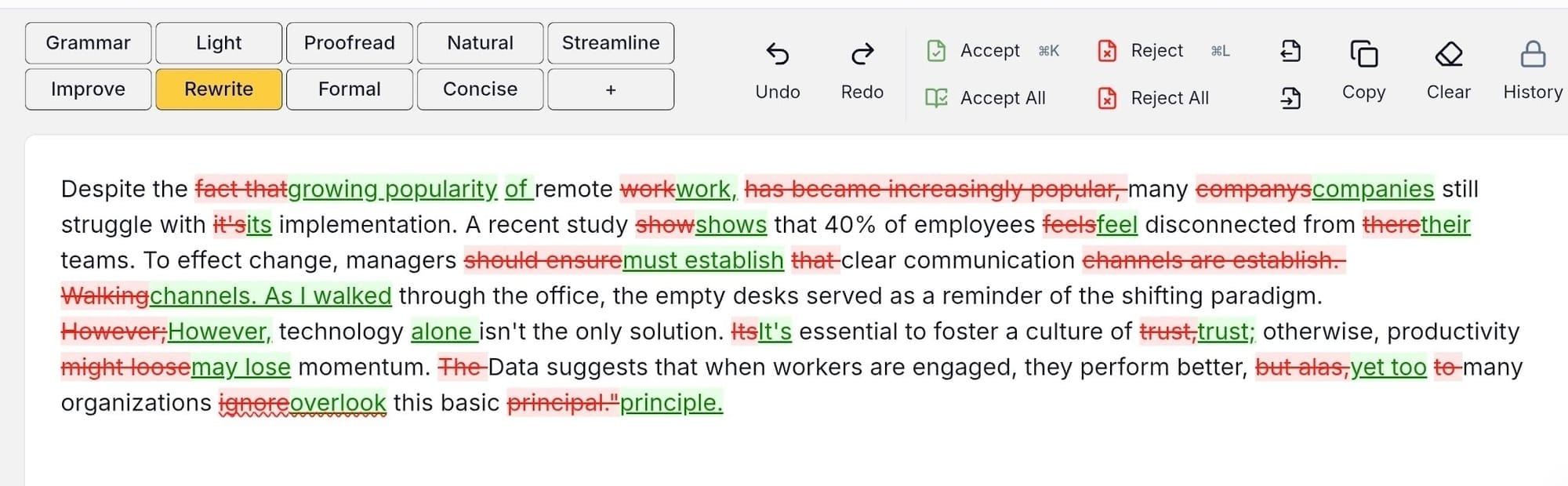
It handled my long paragraph rewrites better than any other tool on this list, likely because it looks at the context of the entire document. Every edit felt like it came from a human editing partner, without the generic, robotic feel that usually comes with automated tools.
That long-form strength is by design. editGPT is built specifically for long-form writing, so you don’t have to worry about your work being dumbed down or stripped of substance because the tool can’t handle long texts.
Standout features:
- Context-aware rewriting: editGPT looks at your entire document to understand what you’re trying to say before it suggests changes.
- One-click edits: Nine options (Grammar, Light, Proofread, Natural, Streamline, Improve, Rewrite, Formal and Concise), plus custom prompts for anything else.
- Suggestions panel: Review each suggested edit in a side panel and choose which ones to keep (Pro and Elite).
- Paragraph and full-document support: It handles large chunks of text, including entire manuscripts, while keeping the logic steady.
- Track changes interface: A redline view shows every edit clearly, so you can accept or reject each change just like you would with a human editor.
What I loved
- It kept my personal voice while making the writing much stronger, where most tools strip the personality out.
- The contextual editing picks the right words for the mood of the prose.
What could be better
- Regular work on long documents needs a paid plan, though you can test it with the free AI rewriter first.
- It’s built for editing drafts you’ve already written, so you’ll need another tool if you want AI to write a first draft.
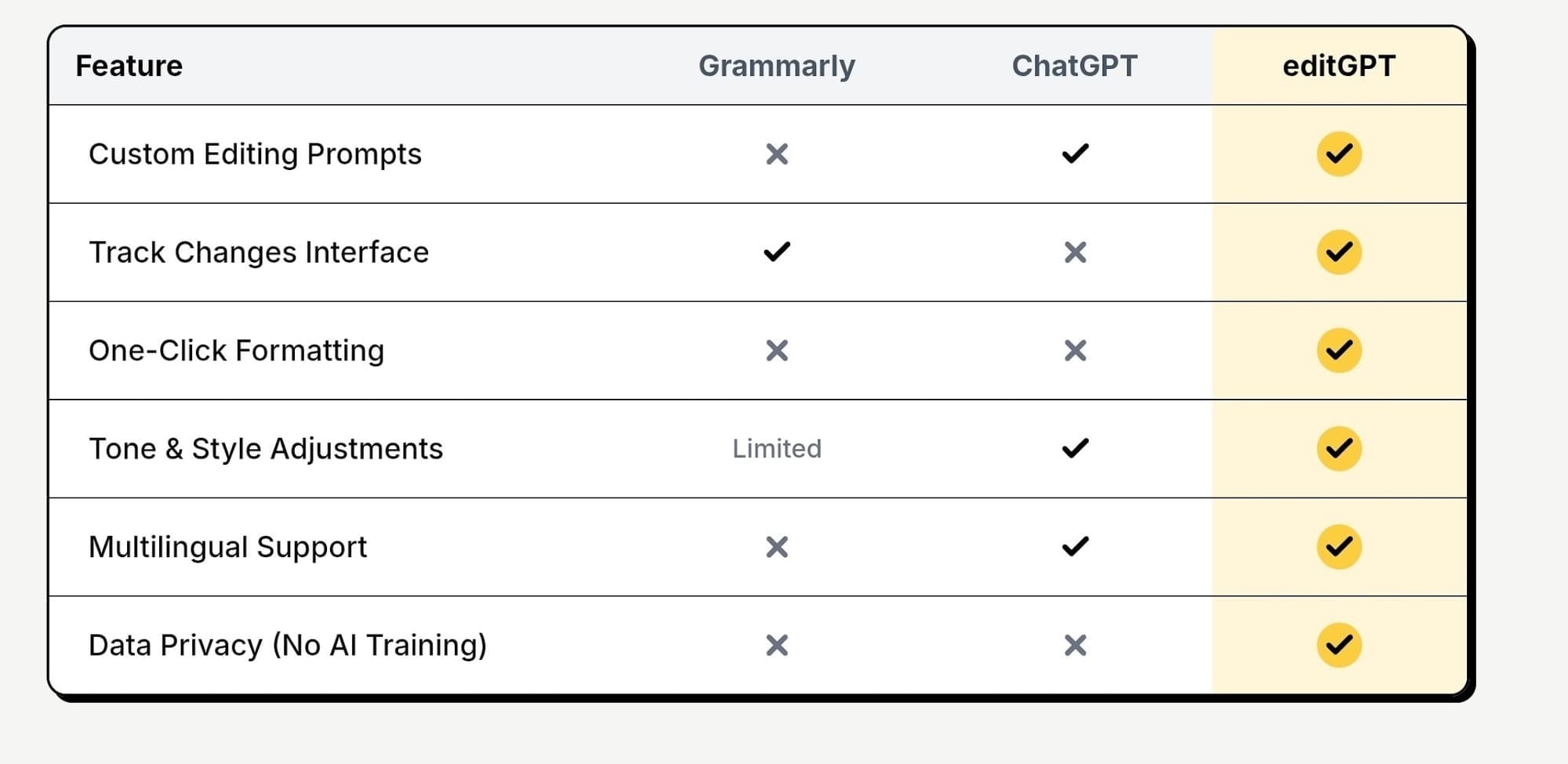
Pricing
You can try editGPT for free with its free AI rewriter or a free account, and every paid plan is listed clearly on its pricing page.
- Free: $0, with 20,000 words when you sign up.
- Pro: $10 a month, or $5 a month billed annually ($60 a year). Includes 500,000 words a month, up to 200,000 words per document.
- Elite: $25 a month, or $12 a month billed annually ($144 a year). Includes 3,000,000 words a month and everything in Pro.
- Business: $100 a month, or $60 a month billed annually ($720 a year). Includes unlimited words and requests, four team seats, a team management dashboard and all Pro and Elite features.
Verdict
editGPT is the AI rewriter I’d recommend to anyone editing their own long drafts. It understands your context and purpose, edits your text while preserving your original tone, and the result still sounds like you.
Want to see it on your own writing? Paste a paragraph into editGPT’s free AI rewriter and compare the before and after.
2. QuillBot: Best AI Rewriter for Paraphrasing at Scale
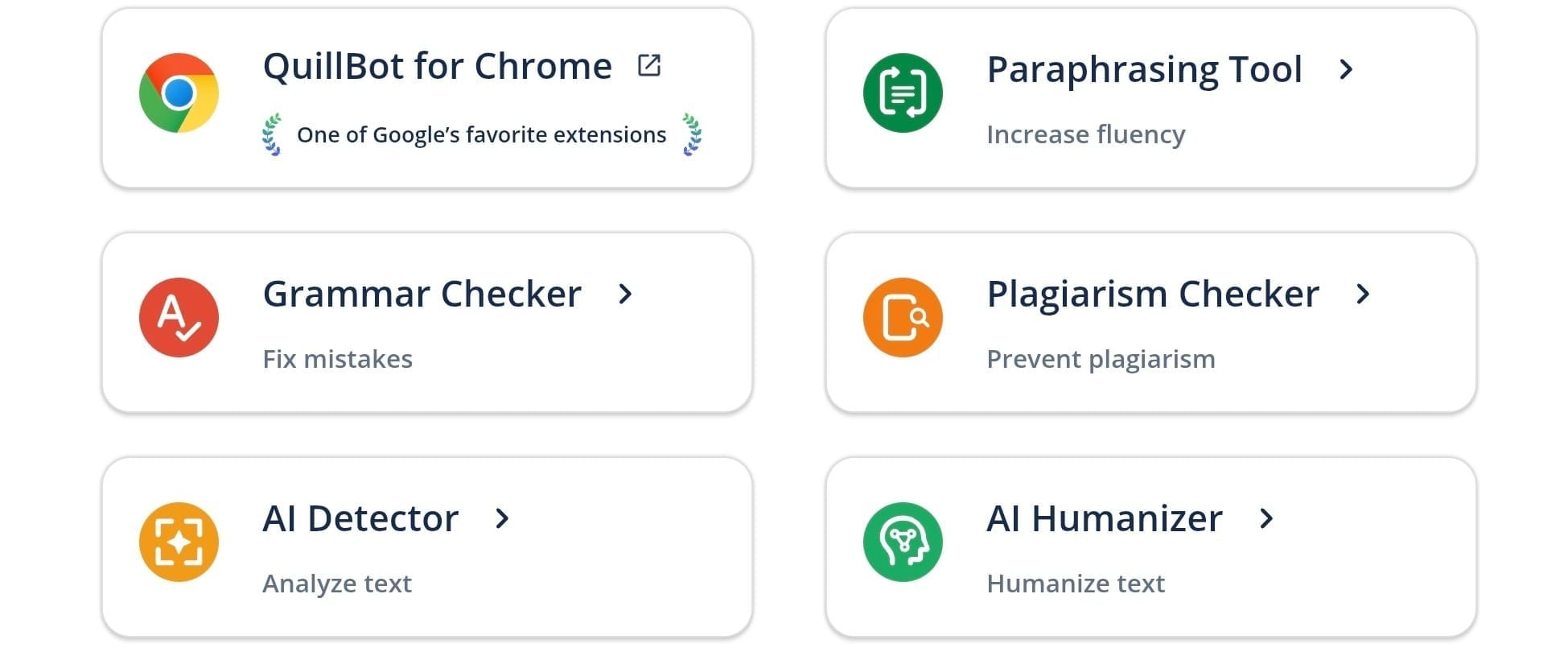
QuillBot is probably the most recognizable name on this list, mostly because it has been around for years and offers one of the most usable free tiers.
While it can sometimes feel a bit repetitive on very long articles, it’s still incredibly fast for fixing a specific paragraph or sentence.
My experience with QuillBot
I found the different modes gave me enough variety to keep my writing from sounding stale. It handles smaller rewrites very cleanly, and the free tier is much more generous than what most other competitors offer.
Even if you just need a check along with some quick phrasing changes, it gets the job done without any fuss. It works best when you feed it one section at a time to keep the flow natural.
Standout features:
- 10 paraphrasing modes: Standard, Fluency, Humanize, Formal, Academic, Simple, Creative, Expand, Shorten and Custom, where you describe the style you want.
- Synonym slider: Controls how aggressively it changes words.
- Built-in grammar checker: Fixes errors alongside the rewrite.
- Extra writing tools: A summarizer, citation generator, AI detector and translator sit next to the paraphraser.
- Browser extension: Lets you rewrite on the go without leaving the page.
What I loved
- Ten modes cover most styles, from Formal and Academic to Creative and Custom.
- Switching modes changes the text so much it feels like another person wrote it.
- The free plan is more generous than most competitors’.
What could be better
- The output can feel mechanical if you process a long essay all at once.
- It works best on sentences and short sections, not whole documents.
- The free plan caps each paraphrase at 125 words.
Pricing
QuillBot has a free plan, and Premium starts at $8.33 a month when billed annually.
- Free: $0, with a limited set of modes and up to 125 words per paraphrase.
- Premium (monthly): $19.95 a month.
- Premium (quarterly): $39.95 every three months, about $13.31 a month.
- Premium (annual): $99.95 a year, about $8.33 a month.
- Team: Per-seat pricing that drops as you add members.
Verdict
QuillBot is the best free paraphrasing tool for most people right now. Specialized tools produce better prose, but it’s still the most reliable way to rewrite a paragraph quickly without paying.
3. Jasper: Best AI Rewriter for Marketing Content
Jasper is the best AI rewriter for marketing teams because it rewrites copy in your brand voice with conversion in mind. It’s built for business content, not school essays.
It’s a marketing-focused AI platform that helps you turn a flat product description or landing page into copy that grabs attention and drives sales.
My experience with Jasper
I fed Jasper a dull product description and a landing page intro, and both came back sharper and more benefit-led within a minute. Once I set up a brand voice, the rewrites stopped sounding generic and started sounding like the brand. For a quick personal edit, though, the setup felt like more work than the task needed.
Standout features:
- Marketing agents and Canvas: 100+ purpose-built marketing agents for headlines, ad copy, emails and more, plus a Canvas workspace for long-form, on-brand content.
- Brand Voice and Knowledge: Saves your tone, vocabulary and company knowledge (text, images, video, data or audio) so every rewrite stays on-brand. Pro includes 2 brand voices, 5 knowledge assets and 3 audiences.
- Content repurposing: Turns existing content into new assets for other channels, such as a blog post, social caption or email.
- AI image tools: Creates new campaign images and edits existing ones with plain-language prompts, keeping your visuals on-brand.
What I loved
- The brand voice tool remembers your vocabulary and rules, so rewrites stay on-brand.
- It avoids the generic “professional” tone most tools default to.
What could be better
- It’s too much software if you just need to polish a school essay or a personal note.
- There’s no free plan, only a seven-day trial of Pro.
- The sales-heavy interface can distract academic and creative writers.
Pricing
Jasper has no free plan, but you can try Pro free for seven days.
- Pro: $69 per seat a month, or $59 per seat a month billed annually.
- Business: Custom pricing through Jasper’s sales team.
Verdict
Jasper is the best choice for anyone handling a professional marketing workload who needs to move fast without losing quality. It works like an automated editor for your sales copy, making it a reliable investment for teams that produce a high volume of on-brand content.
4. Wordtune: Best AI Rewriter for Sentence-Level Editing
Wordtune is the best AI rewriter for editing as you go, one sentence at a time. It suggests alternatives inline instead of making you paste text into a separate tool.
I’ve always used Wordtune when I want to fix my prose while drafting rather than waiting until the end. It’s a lightweight rewriter that stays out of your way and offers clever alternatives for each sentence without forcing you to switch tabs or apps.
My experience with Wordtune
I used Wordtune while drafting a newsletter in Google Docs, and the inline suggestions helped me tighten several sentences without breaking my concentration. The shorten option was especially handy for trimming an intro to fit a word count. On the free plan, though, I hit the daily rewrite limit before lunch.
Standout features:
- Inline rewriting suggestions: As you write, it suggests different ways to phrase any sentence directly in your text field.
- Shorten and expand options: You can instantly adjust the length of a sentence, which is a lifesaver for strict word counts or for explaining a complex idea more clearly.
- Spices: Adds specific flair, like an example, a fact or a joke, to keep your writing from sounding flat.
- Cross-platform integration: It works inside Google Docs, Microsoft Word and most browser text fields, so you don’t have to change your workflow.
What I loved
- The inline suggestions feel like having a professional editor sitting next to you.
- It offers several versions of each sentence, so I could pick the one that fit my tone.
- It works where I already write, so I never had to switch tabs.
What could be better
- The free plan caps you at 10 rewrites a day.
- It struggles with full-document overhauls compared with a dedicated AI paragraph rewriter like editGPT.
Pricing
Wordtune has a free Basic plan, and paid plans start at $4.89 a month billed annually.
- Basic (free): 10 rewrites and AI suggestions a day, plus 3 AI summaries a month.
- Advanced: $6.99 a month, or $4.89 a month billed annually, for 30 rewrites a day and 15 summaries a month.
- Unlimited: $9.99 a month, or $6.99 a month billed annually, for unlimited rewrites and summaries.
Verdict
Wordtune is one of the most intuitive sentence-level tools on the market. It’s perfect for writers who want quick, helpful suggestions while they edit.
5. Grammarly: Best AI Rewriter for Grammar-First Rewriting
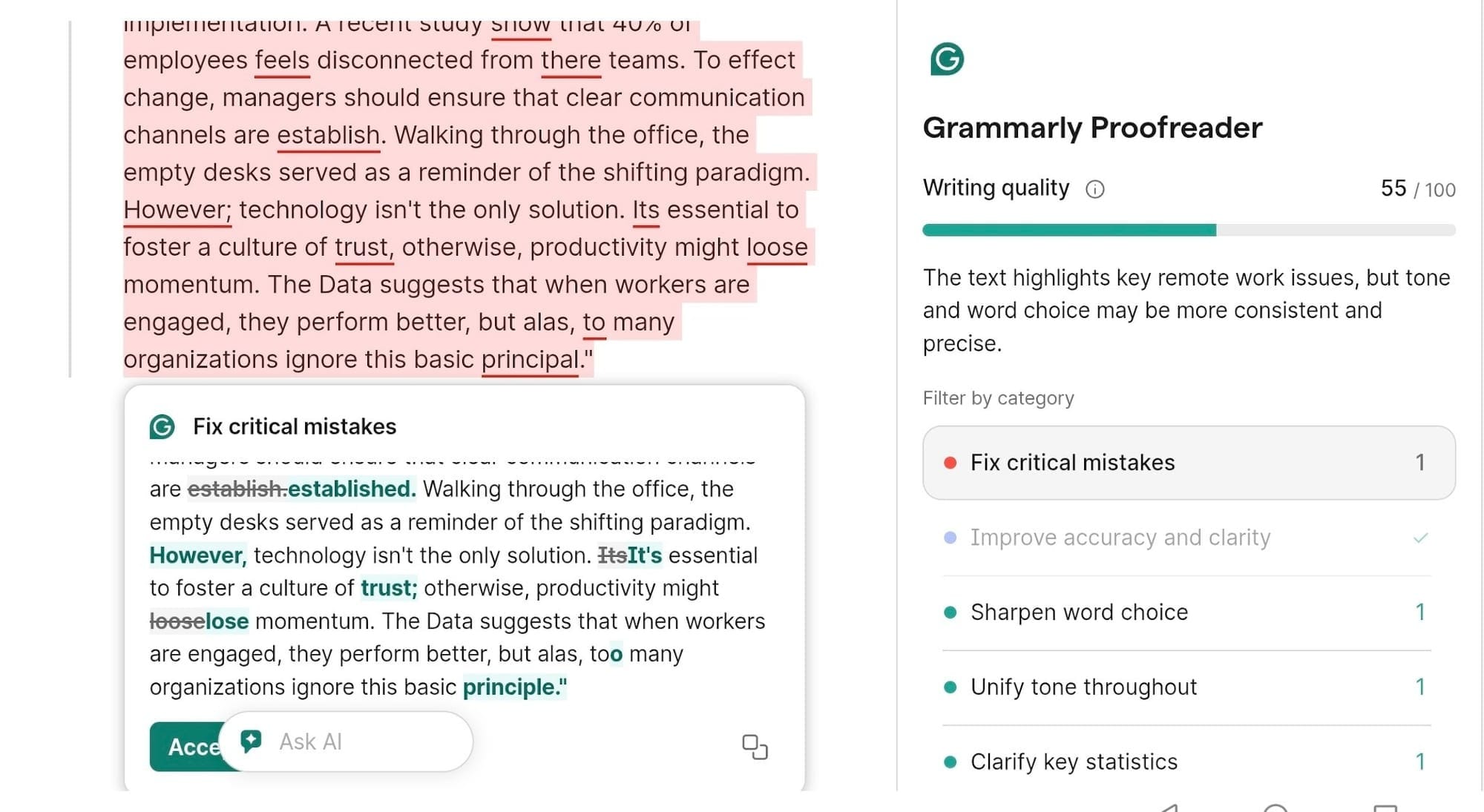
Grammarly is the best AI rewriter if you want grammar fixes and sentence rewrites in one place, everywhere you type. It’s an editing layer, not a bulk rewriting tool.
It has grown from a simple spellchecker into a full writing assistant that handles everything from typos to sentence reconstruction, while fixing your punctuation and style at the same time.
My experience with Grammarly
I ran a rough blog draft through Grammarly and cleaned most of it up just by working through the underlines and accepting the sentence rewrites I liked. The tone detector also caught an email of mine that read more abrupt than I meant. When I asked it to overhaul a full section at once, the result was noticeably flatter than editGPT’s.
Standout features:
- Integrated grammar and AI rewriting: It flags weak sentences and offers one-click rewrites to make them clearer. Full-sentence rewrites are part of Pro.
- Tone detector: It analyzes your word choice to show how you’re coming across, which is great for catching accidental rudeness in emails.
- Generative AI prompts: 100 prompts a month on the free plan and 2,000 a month on Pro for rewriting, drafting and shortening text.
- Cross-platform functionality: It works as a browser extension, a desktop app and a plugin for Word and Google Docs, so your rewriter is always on.
- Plagiarism and AI detection: Pro checks that your work is original and flags text that reads as AI-generated.
What I loved
- It blends grammar fixes and sentence improvements smoothly.
- I could clean up an entire essay just by following the underlines, without switching apps.
- The tone detector catches emails that come across harsher than you meant.
What could be better
- It isn’t built for overhauling large chunks of text at once.
- It works more like a precise editor than a bulk rewriting tool.
- Full-sentence rewrites need a Pro plan.
Pricing
Grammarly has a free plan, and Pro costs $12 a month billed annually.
- Free: $0, with grammar and spelling checks, tone detection and 100 AI prompts a month.
- Pro: $30 a month, $60 a quarter, or $12 a month billed annually.
- Enterprise: Custom pricing.
Verdict
This is the most practical choice for people who want their grammar and rewriting handled in a single workflow.
It might not be a specialized rewriter, but the fact that it works in almost every text box on your computer makes it hard to beat for daily consistency.
6. Rytr: Low-Cost AI Rewriter for Budget-Conscious Writers
Rytr now positions itself as an AI relationship and follow-up assistant, with daily briefings and Gmail and Slack integrations, but its writing tools remain, and it’s still the best low-cost AI rewriter for everyday writing like emails and social posts. Its free plan is genuinely usable, and paid plans start under $10 a month.
It’s a straightforward, no-frills tool with almost no learning curve, and it handles everyday tasks without making you jump through hoops.
My experience with Rytr
I used Rytr to rework a batch of short social captions and a couple of email replies, and it turned each one around in seconds. Switching tones gave me noticeably different versions to choose from. When I tried a technical paragraph, the output got vague and I had to rewrite most of it myself.
Standout features:
- 40+ use cases: Templates for paragraphs, email replies, social captions and more, plus a “magic command” for custom requests.
- Tone options: You can switch the tone of your text and compare how the output changes.
- 10,000 characters a month on the free plan: Enough for several short posts or emails every month.
- In-line editing tools: Highlight any part of your draft to improve, rephrase or shorten it without leaving the editor.
What I loved
- The free plan is a real tool, not a limited trial.
- It turns around short captions and emails in seconds.
- It’s a dependable assistant for basic writing tasks on a tight budget.
What could be better
- The quality drops when you feed it complex or technical ideas.
- It’s better for everyday content than for academic or nuanced creative writing.
- Its focus has shifted to relationship management, so writing is no longer the core product.
Pricing
Rytr has a free plan, and paid plans start at $9 a month, with 20% off when you pay yearly.
- Free: $0, with 10,000 characters a month.
- Lite: $9 a month, with unlimited characters.
- Personal: $19 a month.
- Pro: $49 a month.
Verdict
This is the best choice for writers who need a solid, all-purpose assistant for a low cost. While a tool like editGPT is better for high-stakes professional manuscripts, Rytr is the most practical value option on this list for casual users and small business owners.
How to Choose the Right AI Rewriter
Choose based on when you edit: pick editGPT for deep edits after you finish a draft, and an inline tool like Wordtune or Grammarly if you fix things as you type. Then match the tool to what you write most.
- Strongest for long-form rewriting → editGPT keeps narrative flow across whole paragraphs and documents.
- Best for essays and academic writing → editGPT keeps your argument and academic tone intact while it tightens your phrasing, and its track-changes view lets you approve every edit before it touches your paper. See my full list of the best AI tools for college essay editing.
- Best free paraphrasing tool → QuillBot offers a very functional free version for quickly rewording a sentence or fixing a short paragraph.
- Best for marketing content → Jasper is built for sales. It uses your brand voice to rewrite ads, landing pages and social posts.
- Best for inline suggestions → Wordtune stays out of your way. It suggests alternatives directly in your document as you type, so you don’t have to stop working.
- Best for grammar and rewriting → Grammarly is a good fit if you want style improvements tied directly to your grammar and spellcheck.
- Best low-cost rewriter → Rytr keeps costs down, with a small free plan and paid plans from $9 a month. It’s a good fit for casual users who need to handle everyday emails on a budget.
Can AI Rewriters Be Detected?
Sometimes, yes. AI detectors look for predictable, overly uniform sentence patterns, so text pasted in unedited is more likely to be flagged than writing you’ve revised yourself.
The best approach is to treat the output as a rough draft. Review every suggestion, add your own thinking and specific details, and make sure the final version says what you mean.
That’s why I prefer tools like editGPT that work from your own draft and show every change, so you decide what stays. Writing that reflects your voice and ideas is simply better writing, whoever reads it.
AI Rewriter vs AI Humanizer: Which One Do You Need?
An AI rewriter improves how your text reads, making it clearer, tighter and better suited to your tone. An AI humanizer takes text an AI already wrote and makes it sound like a person wrote it.
Use an AI rewriter when the draft is yours and you want it to read better. That covers fixing clunky sentences, changing the tone for a new audience, shortening a section or polishing an essay before submitting it.
Use an AI humanizer when the starting text came from ChatGPT or another AI writer and sounds stiff or robotic. A humanizer varies sentence length and rhythm and removes the patterns that make AI writing easy to spot.
Many people need both. I draft or outline with AI, run the text through a humanizer, then use a rewriter like editGPT for the final polish in my own voice. If you’re weighing humanizers, see the best AI humanizers I’ve tested.
Frequently Asked Questions (FAQ)
What is the best AI rewriter in 2026?
editGPT is the strongest AI rewriter in 2026 for long drafts and keeping your voice. If you only need high-volume paraphrasing, QuillBot is hard to beat, and Jasper is the clear choice for professional marketing copy.
Is there a free AI rewriter?
Yes, editGPT has a free AI rewriter you can use right away, and QuillBot, Grammarly and Rytr all have free plans that are useful rather than short trials. If you have a lot of daily paraphrasing to get through, QuillBot’s free plan is the most generous.
What is the difference between an AI rewriter and an AI paraphraser?
Paraphrasing is mostly about saying the same thing with different words, usually at the sentence level. A rewriter is a bit more advanced because it can change the entire structure, length, and vibe of a section. Most of the top-tier tools on this list can handle both, giving you much more control over the final result than a basic word-swapper would.
Can I rewrite a full paragraph with AI?
Yes, most modern AI rewriters handle full paragraphs at once. In my testing, editGPT is the most reliable for long paragraphs, while Wordtune is better suited to one sentence at a time.
What is the best free AI rewriter?
editGPT’s free AI rewriter is the best free option if prose quality and keeping your voice matter most. For high-volume paraphrasing, QuillBot’s free plan is the most generous, and for quick social captions or emails, Rytr is a practical choice.
Can AI rewriters rewrite essays?
Yes, polishing essays is one of the most common uses for an AI rewriter, and a good essay rewriter tightens your phrasing without touching your argument. editGPT and Grammarly are especially good at keeping the writing professional and academic.
Always do a final pass yourself to check that your citations are correct and that the tool didn’t change a key argument.
Can ChatGPT rewrite text?
Yes, ChatGPT can rewrite text if you paste it in and ask for a specific tone, length or audience. It works well for quick rewrites, but it doesn’t show you what it changed, so dedicated tools like editGPT are easier for careful edits. I cover this in more detail in Can Chat GPT Paraphrase?
Is using an AI rewriter plagiarism?
No, rewriting your own text with AI is not plagiarism, because the ideas and the original work are yours. It becomes plagiarism when you rewrite someone else’s work and present it as your own without credit. If you’re a student, also check your school’s AI policy, since some classes restrict AI tools.
Final Verdict
editGPT is the strongest AI rewriter in 2026 for long-form writing. It rewrites full paragraphs and documents with context, keeps your voice intact, and shows every change so you stay in control of the final text.
If you want writing that reads better but still sounds like you, try editGPT’s free AI rewriter on your next draft.
Recommended Reading
7 Best QuillBot Alternatives for AI Paraphrasing and Content Rewriting
QuillBot vs editGPT: We Tested the Best AI Proofreaders in 2026
What is the best AI Proofreader?
Top 10 Creative Writing Tools in 2026
Best AI Proofreader Chosen by the Reddit Community
Video review: This AI Text Editing Tool Is FLAWLESS!
editGPT vs Grammarly vs QuillBot: Which Writing Tool is Best?
Free AI Sentence Rewriter Online to Avoid Plagiarism
8 Best AI Humanizers To Bypass Turnitin and GPTZero in 2026 (Tested & Ranked)
7 Best Paraphrasing Tools in 2026 (Ranked & Reviewed)
Best AI Tools for College Essay Editing 2026: Tested and Ranked
Review: Wordtune Editor vs editGPT
Review: Grammarly vs editGPT
Review: ProWritingAid vs editGPT
Review: Hemingway Editor vs editGPT
