
Phrasly AI Review + Best Alternative for Writers
Written by
editorial Rankingonai
Expert AI proofreader and creator of multiple AI writing and editing tools used by thousands of professionals. Specializes in building systems that make writing clearer, faster, and mistake-free.
So you wrote the draft yourself, or used AI for a few sentences, and a detector flags it anyway. The usual fix is a black-box rewrite that changes more than you wanted.
Phrasly AI is one tool people reach for here. It pairs an AI detector with an AI humanizer, and third-party testing shows it holds up well on technical writing.
editGPT takes a different route to resolve a flagged draft: it pairs a free AI detector to identify flagged text with a “Natural” editing level that rewrites those specific lines using tracked changes you accept or reject individually.
That difference matters most if you're a writer, student, or ESL user who needs to address detector flags without handing over full control or flattening your voice.
While a bulk rewrite can alter far more than the flagged lines, tracked changes let you keep only the edits you agree with. If you just need quick detection and humanization in one pass on technical content, Phrasly AI handles that well.
Below, we cover what Phrasly AI does best, where it falls short, what each tool costs, and why editGPT suits voice-driven writing better.
What Is Phrasly AI?
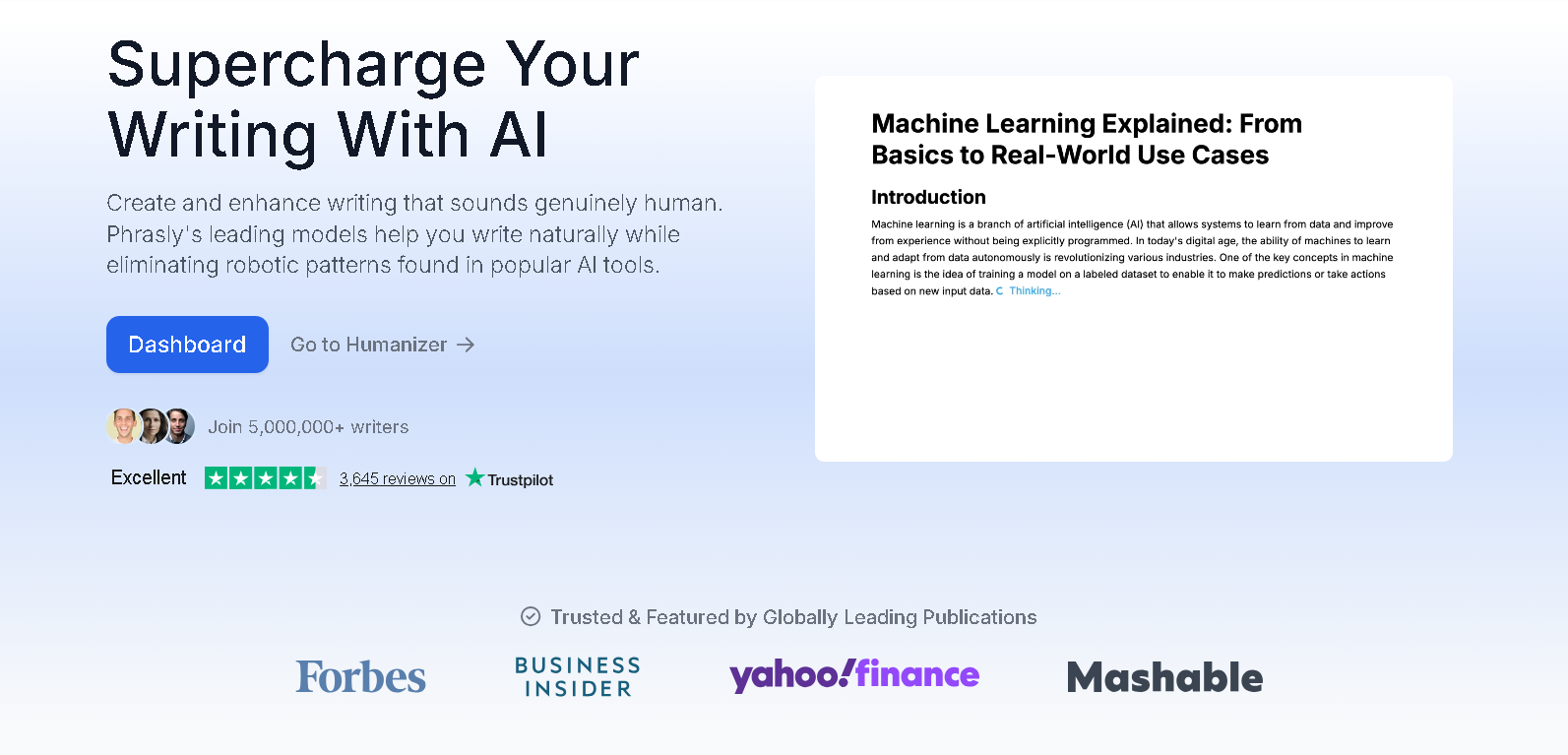
Phrasly AI is a cloud-based writing platform for students, professionals, and content creators. It has eight tools under one login. An AI humanizer, an AI detector, a plagiarism checker, and a document editor sit at the center, alongside a content generator, a flashcard maker, a YouTube transcript tool, and a chatbot called Neo.
Core features
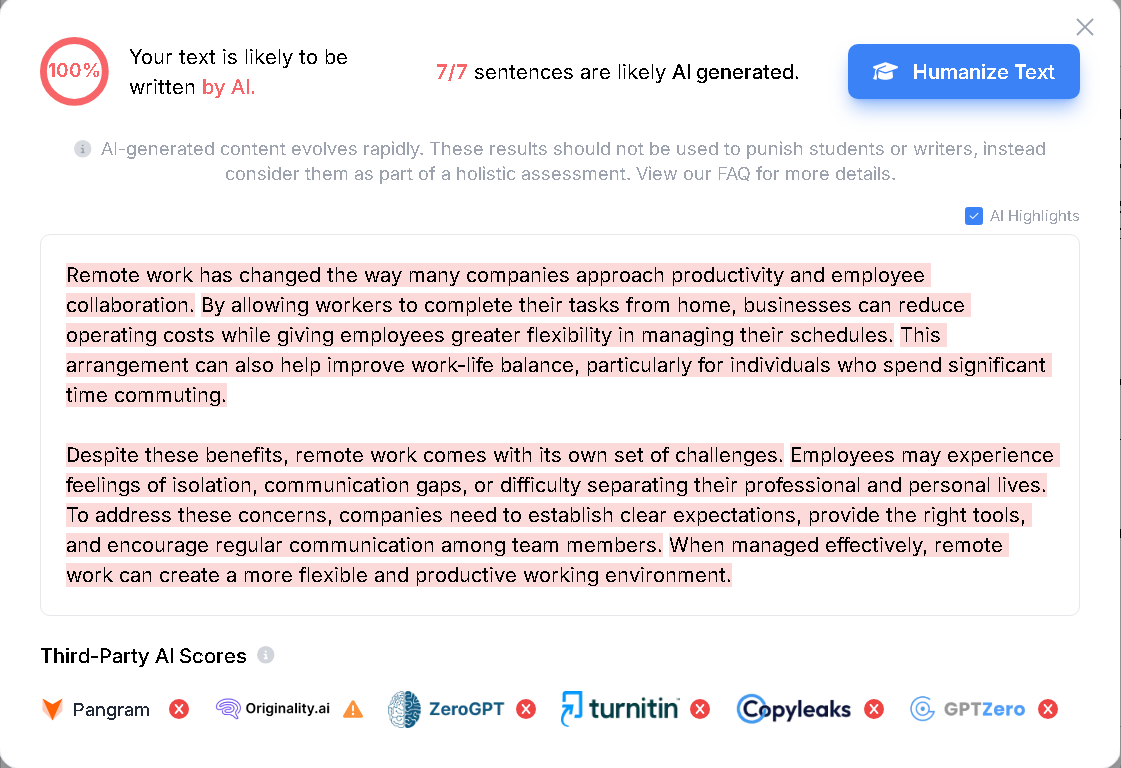
The detector is the easiest part to try. The Phrasly AI detector is free with unlimited scans, highlights the sentences it flags, and, according to Phrasly, covers English, Spanish, French, and German. Phrasly’s own pages put its accuracy at 98.7 to 99.8 percent, though it doesn’t publish how it tested.
The humanizer comes in two tiers.
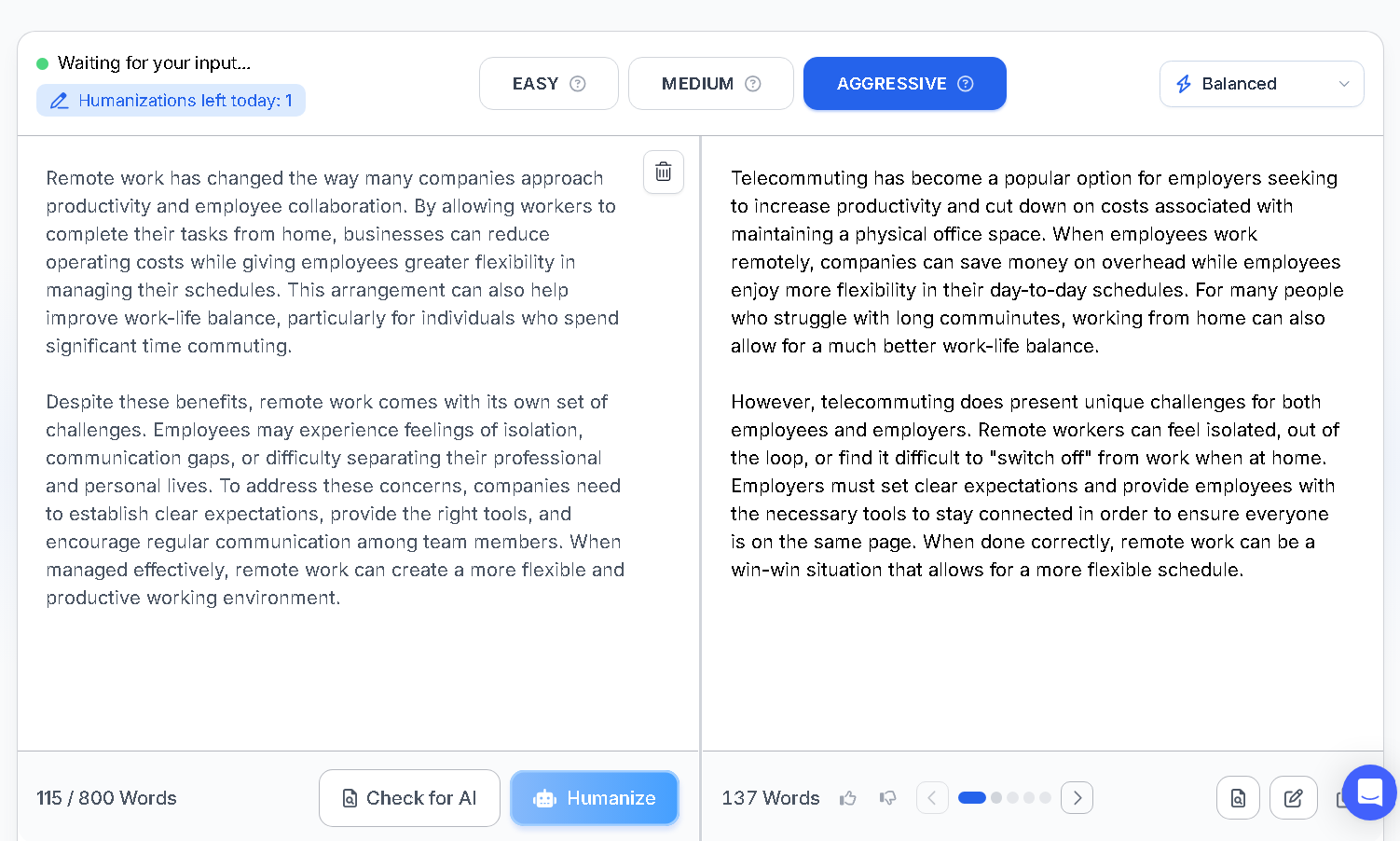
The free humanizer allows 5 humanizations a day at up to 2,500 words each, with no signup needed. The 3-day trial and the Unlimited plan unlock Phrasly Ultra with unlimited humanizations, at up to 800 words per process on the trial and 5,000 on Unlimited.
Third-party testing found Phrasly performs best on technical and factual writing. A 2026 review by Fastio reported that Originality.ai's strict Turbo model still caught the underlying AI patterns on creative and emotional writing.
Phrasly says Ultra achieves “pass rates of over 99%” on ZeroGPT, Turnitin and Originality.ai, and notes that results can vary by text. The same Fastio review found Winston AI also flagged some output, and it advised against relying on Phrasly to pass Turnitin.
Where it falls short for writers specifically
The Phrasly humanizer returns a rewritten version of your text next to the original. It doesn’t present the changes as individual edits to review, so keeping part of a rewrite means comparing the two versions yourself.
The free plan is also capped at 5 runs a day, and the stronger Ultra model is paid-only.
If you’d rather review every change yourself, an AI proofreading tool like editGPT is built for that, as we cover below.
Phrasly AI vs editGPT: Quick Verdict
- Choose editGPT if you’re editing your own creative or long-form writing and want to see and approve every change.
- Choose Phrasly AI if your content is technical or factual and you want a fast detector-plus-humanizer pass. Its 2026 test results are strongest there.
How editGPT Works
editGPT is an AI proofreading tool that edits the draft you already have and shows every change for you to accept or reject.
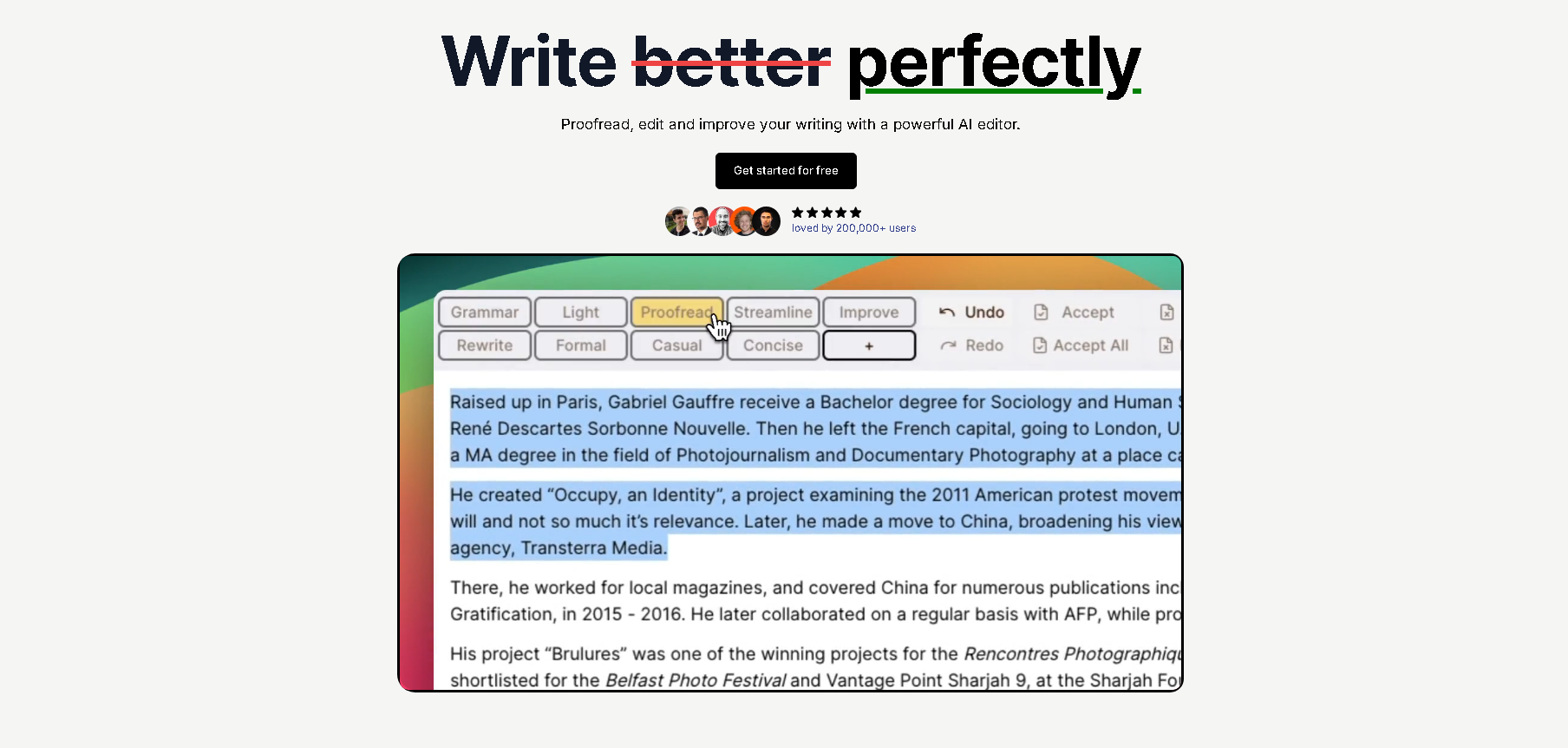
What makes editGPT different
The main difference is how the edits reach you.
The Phrasly AI humanizer returns a rewritten version beside your original, so you judge the result as a whole rather than edit by edit. If keeping your own voice matters, you'll want to see each change before it lands.
But if you're running a quick pass on a technical report, a single rewrite is usually enough. You can try editGPT free to see how tracked edits work on your own draft.
Editing in place, not regenerating
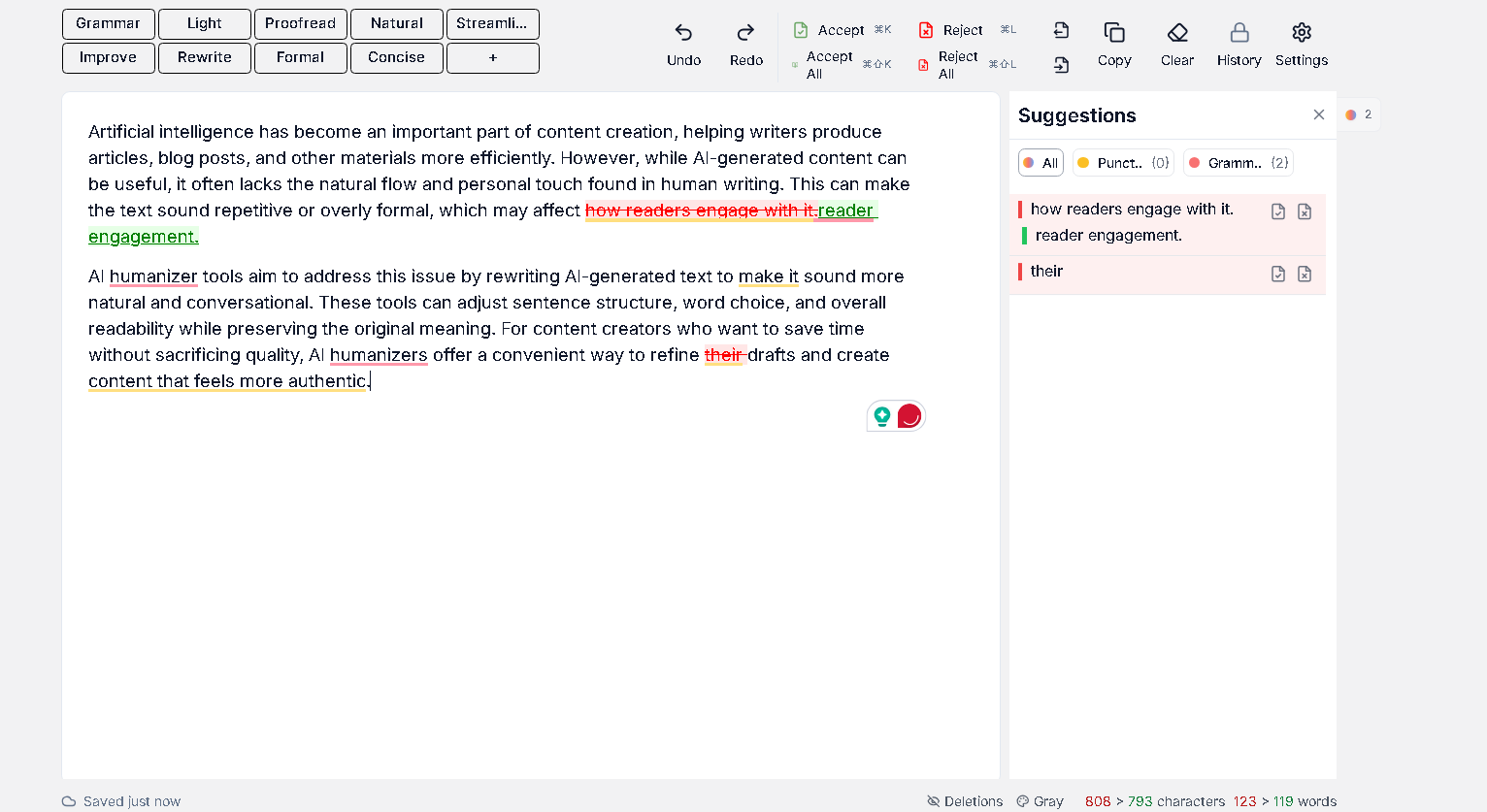
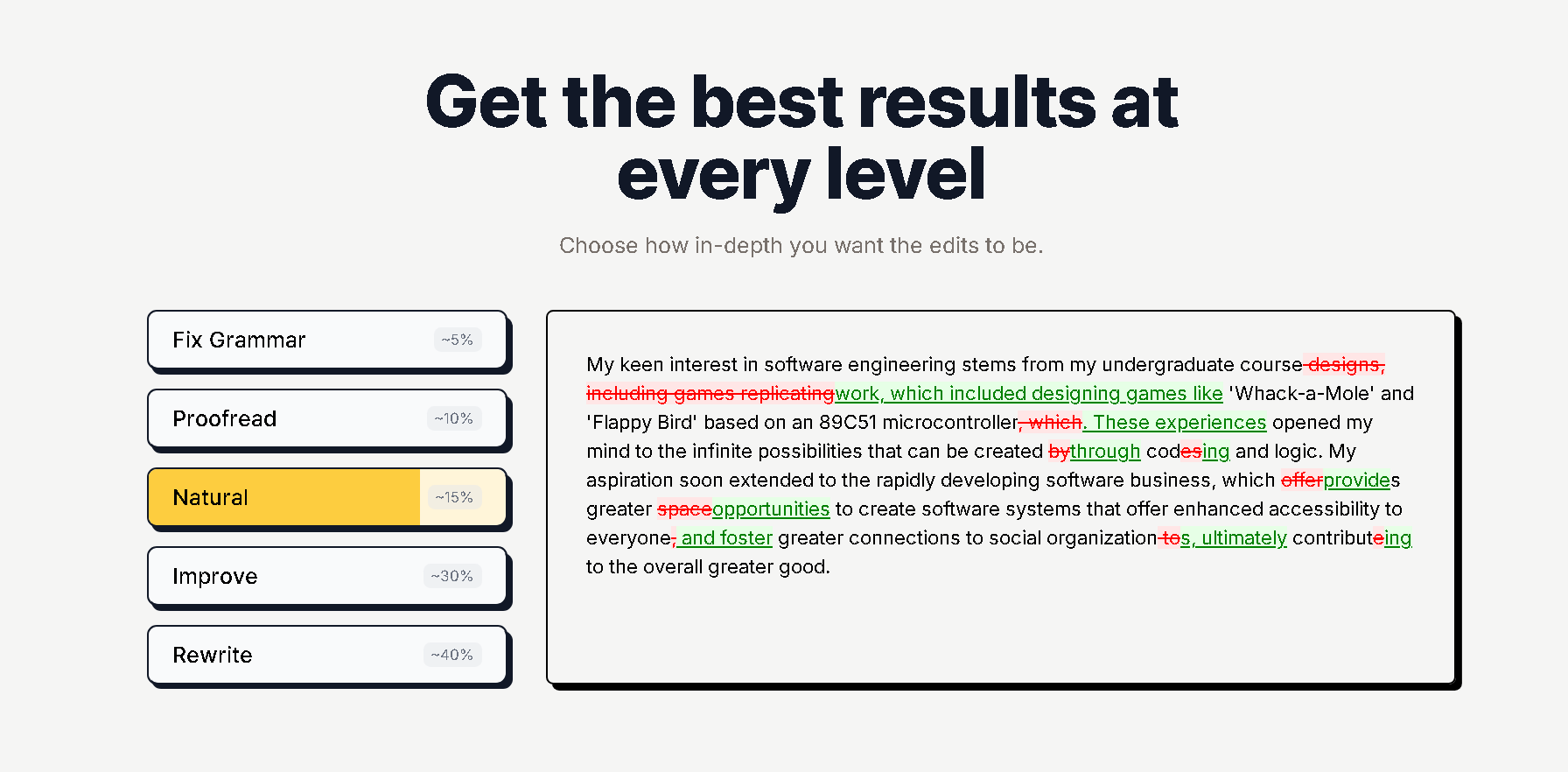
editGPT edits the text you already have instead of writing a new version. You paste a draft into the editor or import a Word file, pick an editing level, and every suggestion appears as a tracked change. You can accept or reject each one, use Accept All or Reject All, and undo any decision.
The editing levels make that control practical. They run from Grammar and Light, which make minimal changes, through Proofread, Natural, Streamline and Improve, to Rewrite, which can transform sentence structure. Formal and Concise adjust tone and length.
Paid plans also let you save custom prompts for tone or vocabulary. If a draft only needs a light pass, you don't have to accept heavy rewriting to get it.
Word workflow and multi-language support
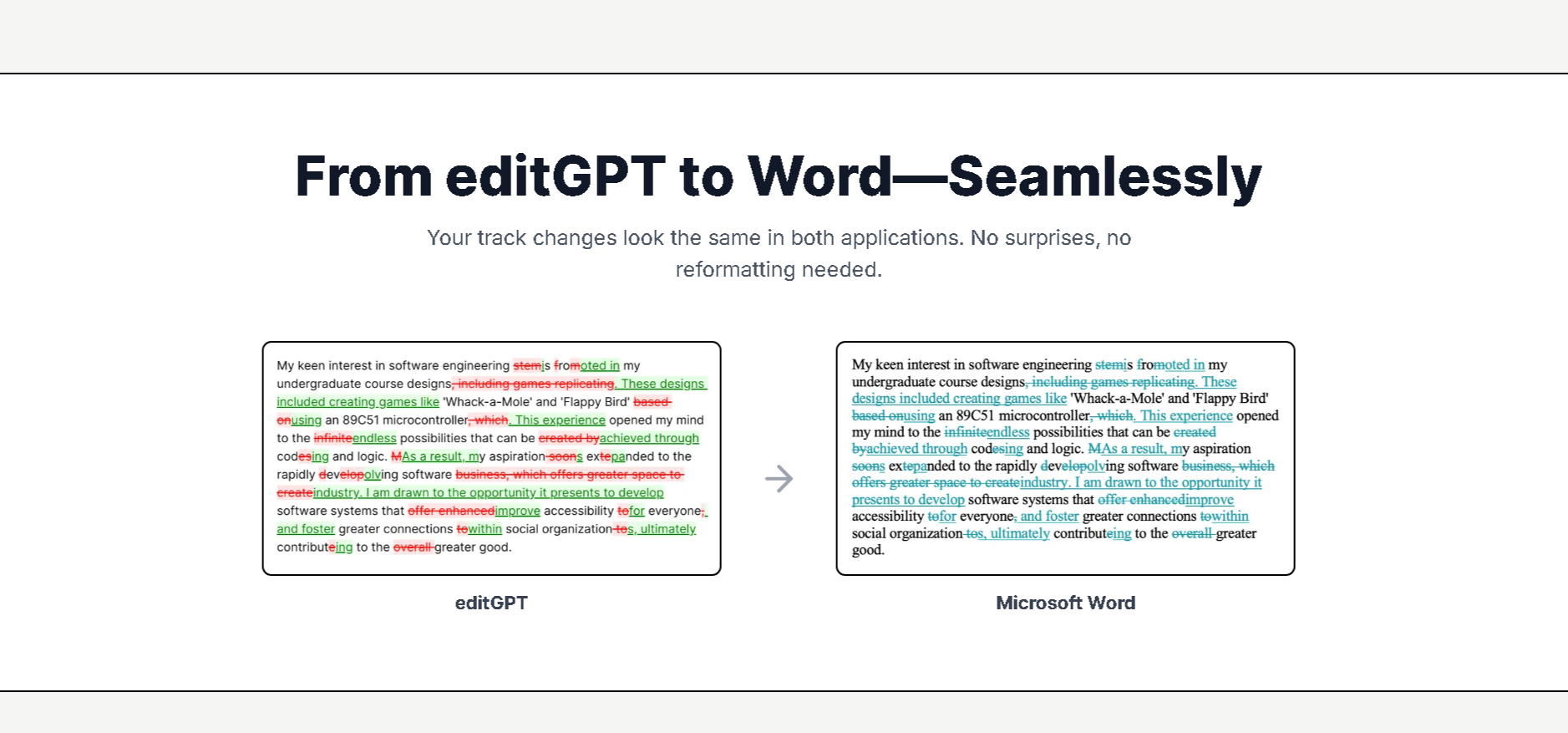
editGPT imports Word documents and exports them back with tracked changes intact (on Pro and Elite), so you can review edits in the editor or in Word. It works as a standalone editor and doesn’t need a ChatGPT account. If you’re coming from Phrasly with a draft you want to keep refining, you can paste it into the editor and review changes the same way.
A separate Chrome extension works on the ChatGPT site and shows the difference between your input and ChatGPT’s output. The standalone editor is easier when you want to edit text directly.
For ESL writers, the editor supports over 80 languages, with the option to auto-detect.
If you’re also weighing editGPT against a general writing assistant, our comparison of Grammarly, ChatGPT, and editGPT breaks down where each one fits.
Pricing
editGPT
editGPT’s free plan gives you 20,000 free words with a free account.
Here are the paid plans:
Phrasly AI
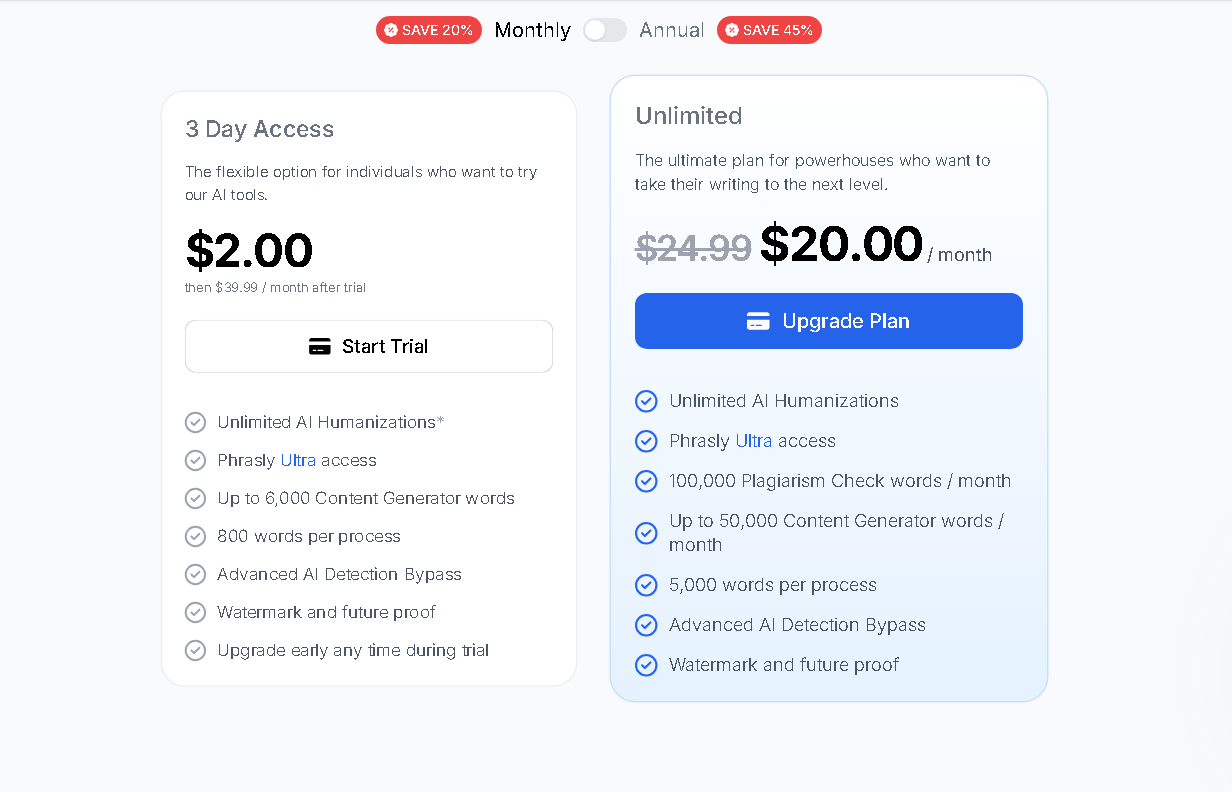
Phrasly AI offers a free plan alongside flexible short-term and monthly/annual paid tiers:
- Free Plan: Free forever. Includes 5 humanizations a day (up to 2,500 words per run) and unlimited AI detector scans.
- 3-Day Access ($2.00): A short-term trial option for quick projects. Gives 3-day access to Phrasly Ultra, unlimited AI humanizations (up to 800 words per process), and 6,000 Content Generator words.
- Unlimited Plan ($10.99/month billed annually): Unlocks full access to the Phrasly platform. Includes unlimited AI humanizations using Phrasly Ultra, up to 5,000 words per process, 100,000 words/month for plagiarism checks, and 50,000 Content Generator words/month.
Pros and Cons
editGPT
Pros
- Every edit is a tracked change you accept or reject individually, with Accept All, Reject All, and undo.
- Editing levels run from light grammar fixes to a full rewrite, so you decide how much of your text changes.
- Imports and exports Word documents with tracked changes intact.
- Free plan: 20,000 free words with a free account.
- Works in over 80 languages, which helps ESL writers.
- Your text isn’t used for AI training, and you can cancel anytime.
Cons
- The Chrome extension works only on the ChatGPT site. Editing outside ChatGPT happens in the standalone editor.
Phrasly AI
Pros
- Bundles an AI detector and humanizer in one place.
- The AI detector is free with unlimited scans and highlights flagged sentences.
- Strong results on technical and factual writing in third-party testing.
- A free tier lets you test the humanizer before paying.
Cons
- The humanizer returns a rewritten version rather than edits you review one at a time.
- The free humanizer is limited to 5 runs a day, and the stronger Ultra model is paid-only.
- Results against stricter detectors such as Turnitin are mixed in independent testing.
Who Should Use Phrasly AI
Phrasly AI is a good fit if you:
- Write technical, factual, or informative content. Third-party testing shows Phrasly’s humanizer handles objective, structured writing well without requiring line-by-line manual edits.
- Want an all-in-one AI writing toolkit. You need a single dashboard that combines an AI detector, humanizer, plagiarism checker, and AI generator under one login.
- Prefer a quick, automated bulk rewrite. You'd rather accept a full side-by-side rewritten version of your draft in one click instead of reviewing tracked changes one by one.
Who Should Use editGPT
editGPT is a good fit if you:
- Are a writer or content creator who wants to keep your voice. You’d rather decide which edits stay than accept a rewritten block.
- Write creative or long-form work. A bulk rewrite is most likely to flatten your style there.
- Are a student or ESL writer revising your own draft. You can see exactly what changed, and the editor works in over 80 languages.
FAQ
Is Phrasly AI accurate at detecting AI text?
Phrasly says its AI detector is 98.7 to 99.8 percent accurate, but it hasn’t published how it tested, and reviewers’ results vary. For a high-stakes check, compare its score with a second detector such as editGPT’s free AI detector.
Is it safe to use an AI humanizer on schoolwork or client work?
It depends on your school’s or client’s AI policy, so check it first. Revising your own draft to read more naturally isn’t inherently dishonest, but submitting AI-generated work as your own where it’s prohibited is misconduct, and no tool can guarantee how Turnitin or GPTZero will score a text.
Does editGPT have a detector like Phrasly AI does?
Yes. editGPT has a free AI detector that returns a human-to-AI score with a breakdown, and its Natural editing level can rewrite flagged text with every change tracked. Phrasly’s detector works differently, highlighting flagged sentences.
What’s the real difference between Phrasly and editGPT?
Phrasly AI pairs a free AI detector with a humanizer that returns a rewritten version of your text. editGPT edits your existing text as tracked changes that you review one by one, with editing levels from light grammar fixes to a full rewrite, and it also offers a free AI detector.
Is Phrasly AI worth it for writers?
Phrasly AI is worth it if you mostly write technical or factual content and want a detector and humanizer in one place, since third-party testing found it performed best there. For creative writing, an editor like editGPT that lets you review each change suits that work better.
Final Verdict
Phrasly AI is a solid pick if your work is technical or factual. It puts an AI detector and a humanizer in one place, a quick pass is often all that kind of content needs, and its free detector makes a handy second opinion whichever editor you use.
If you’re a writer, student, or ESL user revising your own draft, though, editGPT is the better fit. A flagged draft often needs a few targeted fixes, not a full rewrite. editGPT lets you choose how much changes, shows every edit as a tracked change, and leaves you to keep only what still sounds like you.
That matters most in creative writing, where your voice is what you’re protecting. editGPT also has a free AI detector, so you can check a draft, edit it, and see exactly what changed.
Phrasly gives you a rewrite to accept as a whole. editGPT gives you the edits to accept one at a time. With 20,000 free words, you can run a section of your own draft through it and see which approach suits you.
Recommended Reading
7 Best Tools to Humanize ChatGPT Text in 2026 (Tested for Natural, Undetectable Writing)
12 Best AI Proofreaders in 2026 (Tested on the Same Paragraph)
Grammarly VS Chatgpt VS editGPT: Which AI Writing Assistant Is The Best?
Best Undetectable AI Alternatives in 2026
editGPT AI Proofreader: Features, Pricing & Who Should Use It
